Developer and Operator Reference
Use these offline guides alongside installation. They describe the delivered source and distinguish implemented behavior from compatibility stubs and operator setup.
- Customization: name, identifiers, colors, logo, icon and splash
- Production deployment: Nginx, PHP-FPM, HTTPS/WSS and PM2
- GamePix games: publisher SID, categories, blocking and device checks
- Third-party services and buyer cost responsibility
- PHP API: 110 endpoint entries, methods, headers, request fields, responses and errors
- Socket.IO: event directions, payloads, connection and recovery
- Flutter configuration: every key, type, default and requirement
- iOS: Xcode, signing, provisioning, TestFlight and App Store Connect
- Admin roles: create a moderator and verify restricted access
- Background processes and troubleshooting with real error examples
- WebView: hosted dependency and historical fork maintenance
- Feature walkthroughs and actual admin screenshots
GamePix online games are included in the current buyer source; follow the dedicated GamePix guide for account configuration and testing. Actual device screenshots for mobile gift/recharge/store/VIP flows remain pending and are identified in the visual guide.
AppChat Installation Documentation
AppChat is a Flutter social live voice chat platform with PHP API, admin dashboard, MySQL database, Redis, Socket.IO real-time server, Firebase notifications, Agora audio rooms, Google Sign-In, GamePix online HTML5 games, non-redeemable in-app wallet balances, gifts, store assets, VIP levels, Rocket levels, rankings, agencies, and moderation tools.
This documentation is written for first-time buyers. Follow the setup order carefully and replace every placeholder value before publishing the app.
Application identifiers: The source and documentation use AppChat branding, APPCHAT_ Flutter configuration keys, and com.appchat.live as the default Android and iOS identifier.
Included Files
flutter_app: Flutter mobile app source.backend/php_api: PHP API, admin dashboard, uploads, Agora token support, Firebase push sender, and Google Play verification.backend/node_server: Node.js Socket.IO server. Entry file:s1.js.database/appchat_clean_install.sql: one complete SQL installer. No migrations are required.documentation,changelog, andlicense_information: buyer documentation and notices.
Quick Start Summary
Use this summary when you only need the critical setup order. The detailed sections below explain each step.
- Create the MySQL database and import
Main_File/database/appchat_clean_install.sql. - Upload
Main_File/backend/php_api, copy.env.exampleto.env, fill database/API/Redis/service values, and run Composer. - Upload
Main_File/backend/node_server, configure its environment file, install npm packages, and runs1.jswith PM2. - Configure HTTPS for the PHP API and WSS reverse proxy for Socket.IO.
- Configure Firebase Android/iOS client files, Firebase backend service account, Agora credentials, Google Play verification, and Apple receipt verification.
- Set the Flutter API URL, API key, socket host, socket port, package/bundle identifier, app name, icon, splash screen, and signing files.
- Create matching Google Play and App Store in-app product IDs in the recharge package records, then test purchases with official tester accounts.
Product Features
- Public and private live voice rooms with Agora RTC.
- Multi-seat room experience with host, speakers, room members, messages, and gifts.
- Socket.IO real-time communication with Redis presence, room state, token lookup, cache, and pub/sub.
- User profiles, followers, visitors, badges, levels, VIP state, posts, comments, and rankings.
- Wallet balances, recharge packages, non-redeemable gifts, and admin transaction review.
- Admin management for users, rooms, reports, agencies, posts/comments, gifts, store items, VIP packages, levels, Rocket levels, roles, permissions, settings, and audit logs where enabled in source.
- GamePix HTML5 game catalogue inside voice rooms, with categories, pagination and an embedded player. Games require internet and an authorized publisher SID.
- Firebase Cloud Messaging and Google Sign-In support.
- Google Play consumable in-app purchase verification in the PHP backend.
The included standard digital asset pack contains exactly 10 emojis, 5 profile frames, 5 entrance effects, 3 VIP levels, and 3 Rocket levels. The default package remains complete and usable with the included assets.
Included Assets
The standard AppChat package includes ready-made starter content. These counts describe the default content included with the CodeCanyon purchase, not a technical limit of the system.
- 10 Emojis: records in
emojis, media underbackend/php_api/public/uploads/appchat_seed_assets/emojis/server. - 5 Profile Frames: records in
store_itemswithtype = 0, media underbackend/php_api/public/uploads/appchat_seed_assets/store_items/frame. - 5 Entrance Effects: records in
store_itemswithtype = 2, media underbackend/php_api/public/uploads/appchat_seed_assets/store_items/entry. - 5 Room Backgrounds: records in
media_assetswithtype = room_bg, media underbackend/php_api/public/uploads/appchat_seed_assets/room_bgs. - 3 VIP Levels: records in
vip_packageswith relatedvip_privileges, media underbackend/php_api/public/uploads/appchat_seed_assets/vip. - 3 Rocket Levels: records in
rocket_levels, media underbackend/php_api/public/uploads/appchat_seed_assets/rockets. - 20 Gifter Levels: records in
levelswithtype = gifter, media underbackend/php_api/public/uploads/appchat_seed_assets/levels/gifter. - 20 Anchor Levels: records in
levelswithtype = anchor, media underbackend/php_api/public/uploads/appchat_seed_assets/levels/anchor. - 20 Charge Levels: records in
levelswithtype = charge, media underbackend/php_api/public/uploads/appchat_seed_assets/levels/charge.
Additional ready-made emojis, frames, entrance effects, room backgrounds, VIP content, Rocket content, level assets, and other compatible visual content can be purchased separately by contacting the seller. Buyers can also add compatible content through the existing database/admin structure.
The exact copied file list is documented in ../license_information/included-seed-assets.txt.
Package Structure
Main_File/
  flutter_app/
  backend/
    php_api/
    node_server/
  database/
    appchat_clean_install.sql
  documentation/
  changelog/
  license_information/
LivePreview/
Preview_Screenshots/
Inline_Preview/
Thumbnail/
Reviewer_Information/
Submission_Metadata/
Final_Zip/
Final_Zip is intentionally left empty in this prepared package because the seller requested manual ZIP creation.
Demo Information
Mobile Demo
Android demo APK URL: https://yoursoft.pro/appchat/download-apk.php.
Mobile testing method: use Sign in with Google. No public mobile email/password demo account is provided.
Admin Dashboard Demo
- URL: https://yoursoft.pro/appchat/public/admin/
- Email:
admin@appchat.com - Password:
admin@12345
Change this password immediately after installation and before production use.
Server Requirements
- PHP 8.0 or newer with PDO MySQL, mbstring, json, openssl, curl, fileinfo, gd or imagick, and session support.
- Composer 2.x.
- MySQL 8+ or MariaDB 10.6+ using utf8mb4.
- A maintained Node.js LTS release and npm. This production guide requires Node 22+ for explicit --env-file loading.
- Redis 6+.
- HTTPS domain for the PHP API and WSS reverse proxy for Socket.IO.
- PM2 or an equivalent process manager for the Node.js server.
Shared hosting is suitable only when it supports PHP 8+, Composer, MySQL, Redis access, writable uploads, SSL, and a separately hosted Node.js Socket.IO server. For most production deployments, a VPS is recommended.
Full Installation Order
- Create the domain and subdomain structure for API/admin and Socket.IO.
- Install SSL certificates.
- Create an empty MySQL database.
- Import
Main_File/database/appchat_clean_install.sql. - Upload
Main_File/backend/php_api. - Configure PHP
.envfrom.env.example. - Set upload/storage permissions.
- Run Composer installation.
- Configure Firebase server credentials.
- Configure Google Play server verification credentials.
- Configure Redis.
- Upload
Main_File/backend/node_server. - Configure Node
.envand run the server with PM2. - Configure Nginx/Apache and Socket.IO reverse proxy.
- Configure Flutter API, media, and socket URLs.
- Add Firebase Android/iOS client files.
- Configure Agora credentials.
- Configure Google Play products and tester accounts.
- Change AppChat branding, app icon, splash screen, package name, and signing files.
- Build and test Android, then follow the iOS release guide on a Mac for the iPhone build, signing and submission.
Database Installation
- Create a new empty database, for example
appchat_db. The database name can be changed if your.envuses the same name. - Import the SQL file with phpMyAdmin, Adminer, or MySQL CLI.
- Confirm that tables, seed settings, base assets, VIP levels, Rocket levels, non-redeemable wallet defaults, and demo admin data were imported.
mysql -u appchat_user -p appchat_db < database/appchat_clean_install.sqlDo not run migrations. The package is designed around the single SQL installer.
PHP Installation
- Upload
backend/php_apito your server. - Set the web server document root to
backend/php_api/public. - Copy
.env.exampleto.envand fill required values. - Run
composer install --no-dev --optimize-autoloader. - Make
public/uploadswritable when using local upload storage. - Set
APP_DEBUG=falsefor production. - Test an API endpoint using your configured
API_KEY.
curl -X POST -H "API-KEY: CHANGE_ME_APPCHAT_API_KEY" -H "Content-Type: application/json" -d '{}' https://your-domain.com/api/helper/configFollow the complete Nginx/PHP-FPM configuration for HTTPS, API routing, admin, signed uploads and WSS proxying. Keep public/ as the web root.
Node.js Installation
Follow PM2 and Node production setup. Configure the separate Node .env and start s1.js with the documented --env-file argument: the supplied server does not automatically read .env.
The production guide covers dependencies, Redis/API values, HTTPS/WSS proxying, firewall restrictions, automatic reboot recovery and logs.
Redis Installation
Redis is required for token lookup, online users, room online counts, room membership state, user cache, force logout events, and pub/sub between PHP and Node.js.
redis-cli -h 127.0.0.1 -p 6379 pingKeep Redis private, use a strong password on production servers, choose a safe database index, and restart the PHP/Node services after changing credentials. If Redis is unavailable, socket authentication, presence, room state updates, and live events can fail.
Environment Files
PHP variables are documented in backend/php_api/.env.example. Node variables are documented in backend/node_server/.env.example. Do not upload real .env files to CodeCanyon, Git, or public web directories.
Key groups include application URL, database, Redis, API security, Socket.IO, Agora, Firebase, Google Play, Bunny storage, non-redeemable wallet rules, business rules, and logging.
Domain and SSL Configuration
Use HTTPS for the PHP API and WSS for Socket.IO. Configure all real domains in:
- PHP
APP_URLand media/storage settings. - Flutter
lib/config/appchat_config.dartor--dart-definevalues. - Node
PUBLIC_SOCKET_URL, host/port, and allowed origins. - Android deep-link host in
android/app/src/main/AndroidManifest.xmlif enabled. - Firebase authorized domains and Google OAuth settings.
- Any stored URLs in SQL/admin settings.
Flutter Configuration
Read the configuration key table for types, defaults, required values and backend overrides. SocketManager in this package constructs an HTTP URL; configure HTTPS URL construction for a TLS-only socket deployment as described in the reference.
Primary configuration is in flutter_app/lib/config/appchat_config.dart. You can override many values at build time:
flutter build appbundle --release \
  --dart-define=APPCHAT_API_BASE_URL=https://your-domain.com/ \
  --dart-define=APPCHAT_API_KEY=CHANGE_ME_APPCHAT_API_KEY \
  --dart-define=APPCHAT_SOCKET_HOST=socket.your-domain.com \
  --dart-define=APPCHAT_SOCKET_PORT=443 \
  --dart-define=APPCHAT_SHARE_BASE_URL=https://your-domain.com/share
Also configure the Android application ID in android/app/build.gradle.kts, app display name in AndroidManifest.xml, Firebase files, Google Sign-In fingerprints, package name, privacy policy URL, terms URL, support URL, app icon, splash screen, theme colors, and release signing.
Local WebView Plugin Fork
The current buyer package uses the hosted plugin with no local override. Its lockfile resolves webview_flutter_android 4.12.0. See WebView maintenance for the historical bridge, the earlier fork's purpose and upgrade checks. Do not copy the development fork back into the buyer package.
Firebase Setup
Flutter Android Client File
google-services.json is the Firebase Android client configuration file. It belongs only in the Flutter app and is different from backend private service account files.
- Create a Firebase project.
- Add an Android app using the final AppChat package name.
- Add SHA-1 and SHA-256 fingerprints for Google Sign-In.
- Download
google-services.json. - Place it at
Main_File/flutter_app/android/app/google-services.json. - Enable Firebase Authentication with the Google provider and enable Firebase Cloud Messaging.
- If
firebase_options.dartis used, regenerate it with FlutterFire CLI after adding the buyer project. - Run the app and confirm Firebase initializes without errors.
iOS Client File
- Add an iOS app in Firebase using the selected bundle identifier.
- Download
GoogleService-Info.plist. - Add it to the Xcode Runner target.
- Enable Push Notifications and Background Modes where required.
- Configure APNs and confirm the bundle identifier matches.
Do not include real Firebase client files in the public package.
Push Notification Setup
The PHP backend sends Firebase Cloud Messaging HTTP v1 push notifications through backend/php_api/core/FirebasePush.php. The sender is called from AppChatController::sendFirebasePushToUser.
Backend credential file: Firebase Admin SDK service account JSON from the buyer's own Firebase project. This is a private backend key and is not the Flutter google-services.json file.
| Item | Value |
|---|---|
| Console page | Firebase Console, Project settings, Service accounts, Firebase Admin SDK. |
| Service account required | The Firebase Admin SDK service account for the buyer Firebase project. |
| Download action | Click Generate new private key, then confirm the key generation. |
| Downloaded file format | JSON private key file. Firebase usually downloads a project-specific filename. |
| Expected final filename | firebase-service-account.json |
| Rename required? | Yes, rename the downloaded JSON to firebase-service-account.json when using the default AppChat backend path. |
| Default backend destination | Main_File/backend/php_api/secure/firebase-service-account.json |
| Environment key | FIREBASE_SERVICE_ACCOUNT_JSON |
| Optional database setting | app_settings.firebase_service_account_json; leave blank to use .env. |
| Project ID key | FIREBASE_PROJECT_ID or app_settings.firebase_project_id. If omitted, the sender can read project_id from the JSON file. |
| Required API/service | Firebase Cloud Messaging API (HTTP v1) must be enabled for the Firebase/Google Cloud project. The backend requests the OAuth scope https://www.googleapis.com/auth/firebase.messaging. |
- Create or select the buyer-owned Firebase project used by AppChat.
- Open Firebase Console, Project settings, Service accounts, Firebase Admin SDK.
- Generate the private key for that Firebase Admin SDK service account.
- Rename the downloaded JSON file to
firebase-service-account.jsonunless using a custom absolute path. - Upload it to
backend/php_api/secure/firebase-service-account.jsonon the buyer server, or set an absolute path inFIREBASE_SERVICE_ACCOUNT_JSON. - Set
FIREBASE_PROJECT_IDin.envunless relying on the JSONproject_id. - Confirm Firebase Cloud Messaging API / FCM HTTP v1 is enabled for the project.
- Keep the file outside public web access where possible; the included
securefolder is outsidepublic. - Restrict file permissions so only the PHP process can read it.
- Never commit it and never include it in CodeCanyon preview or buyer ZIP files.
- Restart PHP workers or reload PHP-FPM/Apache if environment values are cached.
FIREBASE_PROJECT_ID=your-firebase-project-id
FIREBASE_SERVICE_ACCOUNT_JSON=/var/www/appchat/backend/php_api/secure/firebase-service-account.json
Service Account Files
| File | Purpose | Destination | Private? |
|---|---|---|---|
google-services.json | Flutter Android Firebase client configuration. | Main_File/flutter_app/android/app/google-services.json | No private server key, but buyer-specific. |
firebase-service-account.json | Backend FCM push notification sender. | Main_File/backend/php_api/secure/firebase-service-account.json | Yes. Never distribute a real file. |
google-play-service-account.json | Backend Google Play purchase verification. | Main_File/backend/php_api/secure/google-play-service-account.json | Yes. Never distribute a real file. |
The Firebase Admin service account and Google Play service account are separate Google Cloud credentials. They may come from the same Google Cloud project only if the buyer intentionally configures that, but they are used for different APIs and should be treated as separate private backend credentials.
Agora Configuration
Create an Agora project and configure these PHP variables: AGORA_APP_ID, AGORA_APP_CERTIFICATE, and AGORA_TOKEN_TTL. Flutter receives Agora configuration from backend config and room/token endpoints. Voice rooms will not work without valid Agora credentials.
Google Play In-App Purchase Setup
Flutter uses the in_app_purchase package and loads product IDs from backend recharge packages. PHP verifies consumable Android purchases in PaymentAppController::pay through the Google Play Developer API and google/auth.
Backend credential file: Google Play / Google Cloud service account JSON with Android Publisher API access. This is not the Flutter google-services.json file and is not the Firebase Admin push file.
| Item | Value |
|---|---|
| Google Cloud page | Google Cloud Console, IAM & Admin, Service Accounts. |
| Google Play page | Google Play Console, Users and permissions. Invite the service account email and grant app access. |
| Service account required | A dedicated Google Cloud service account for AppChat purchase verification. |
| Downloaded file format | JSON private key file. Google Cloud downloads a service-account-specific filename. |
| Expected final filename | google-play-service-account.json |
| Rename required? | Yes, rename the downloaded JSON to google-play-service-account.json when using the default AppChat backend path. |
| Default backend destination | Main_File/backend/php_api/secure/google-play-service-account.json |
| Environment key | GOOGLE_PLAY_SERVICE_ACCOUNT_JSON |
| Optional database setting | app_settings.google_play_service_account_json; leave blank to use .env. |
| Package name key | GOOGLE_PLAY_PACKAGE_NAME or app_settings.google_play_package_name. |
| Required API/service | Google Play Developer API must be enabled in the selected Google Cloud project. |
| Required API scope used by code | https://www.googleapis.com/auth/androidpublisher |
| Play Console permissions | For Play Billing API calls, grant View financial data, orders, and cancellation survey responses and Manage orders and subscriptions for the AppChat app. |
- Create or select a buyer-owned Google Cloud project for server-to-server Google Play Developer API access.
- Enable the Google Play Developer API in that Google Cloud project.
- Create a dedicated service account for AppChat purchase verification.
- Generate a JSON private key for the service account.
- Rename the downloaded JSON file to
google-play-service-account.jsonunless using a custom absolute path. - Open Google Play Console, Users and permissions, and invite the service account email address.
- Grant app access for the correct package and the Play Billing permissions listed above. Avoid unnecessary owner/admin access.
- Upload it to
backend/php_api/secure/google-play-service-account.jsonon the buyer server, or set an absolute path inGOOGLE_PLAY_SERVICE_ACCOUNT_JSON. - Set
GOOGLE_PLAY_PACKAGE_NAMEto the exact Android application ID used for the Play Console app. - Configure exact in-app product IDs in the AppChat recharge package records and activate them in Play Console.
- Configure license testers, upload an internal testing build, and test purchase verification with a licensed tester.
GOOGLE_PLAY_SERVICE_ACCOUNT_JSON=/var/www/appchat/backend/php_api/secure/google-play-service-account.json
GOOGLE_PLAY_PACKAGE_NAME=com.appchat.live
The inspected PHP verification flow rejects duplicate successful token hashes and duplicate successful order IDs. It handles missing libraries, missing service account files, missing package configuration, invalid Google responses, pending/unsuccessful purchase states, and duplicate purchase attempts. Subscriptions are not implemented in the inspected backend.
Apple In-App Purchase Setup
Flutter sends the App Store receipt data to PaymentAppController::pay with provider ios. The PHP backend verifies the receipt with Apple's server before crediting coins or diamonds, checks that the receipt contains the selected iOS product ID, rejects cancelled transactions, and prevents duplicate crediting by transaction ID.
| Item | Value |
|---|---|
| Backend verifier | PaymentAppController::verifyApplePurchase |
| Production endpoint | https://buy.itunes.apple.com/verifyReceipt |
| Sandbox retry endpoint | https://sandbox.itunes.apple.com/verifyReceipt |
| Environment key | APPLE_SHARED_SECRET, optional for consumables and required when Apple shared-secret protected receipt cases apply. |
| Product mapping | Set ios_product_id in each recharge_packages row and create the same consumable product ID in App Store Connect. |
- Create the App Store Connect app with bundle identifier
com.appchat.live, or your replacement identifier if you rebrand. - Create consumable in-app purchases matching the backend
ios_product_idvalues. - Configure sandbox tester accounts and test each product on a real iOS device or supported StoreKit test flow.
- If you use an app-specific shared secret, set
APPLE_SHARED_SECRETinbackend/php_api/.env. - Confirm successful iOS purchases create
payment_logsrows with provideriosand credited wallet transactions with typeapple_recharge.
Cron Jobs and Queue Workers
No PHP cron or durable job queue is included. VIP expiration is checked on reads, levels update during requests/transactions, and rankings are queried over UTC date windows. Node/Redis must run continuously.
Read the task inventory, PM2 setup and manual recovery steps. Do not run public/index.php as a scheduled worker.
Media and File Storage
Local uploads use backend/php_api/public/uploads. Optional Bunny.net storage/CDN configuration is supported through BUNNY_STORAGE_ZONE, BUNNY_STORAGE_REGION, BUNNY_STORAGE_API_KEY, and BUNNY_CDN_URL. Use HTTPS media URLs and avoid serving private credential files from public directories.
Monetization and Compliance Model
The marketplace build uses in-app purchases only to credit non-redeemable app balances such as coins and diamonds. Gifts, wallet credits, VIP access, store items, and room rewards are digital app features only.
The current delivered source still contains legacy withdrawal/account handlers. Their presence must not be described as technically disabled. They are identified separately in the API reference and are not a recharge integration or an included external payout service.
Asset Customization
Emojis
Use the emojis table and assets under the public uploads/seed asset folder. API response is provided through LiveAppController::emojiList. Use small optimized PNG/GIF/WebP files and unique filenames.
Frames
Frames are store items with type 0. Upload transparent PNG/WebP frame artwork, add database/admin records, set price/duration/status, and test the profile/store display.
Entry Animations
Entry animations are store items with type 2. Use optimized animation files supported by the current app, keep filenames unique, and test room entry display after purchase/activation.
VIP Levels
Configure VIP packages and privileges in vip_packages and vip_privileges. Test profile badges, store privileges, room display, and expiration behavior.
Rocket Levels
Configure Rocket levels and optional rewards in rocket_levels and rocket_rewards. Test ranking/progression screens and any related reward display.
Clear app/cache data after asset changes if old images remain visible. Restart Node.js only when socket behavior changes.
App and Admin Screenshots
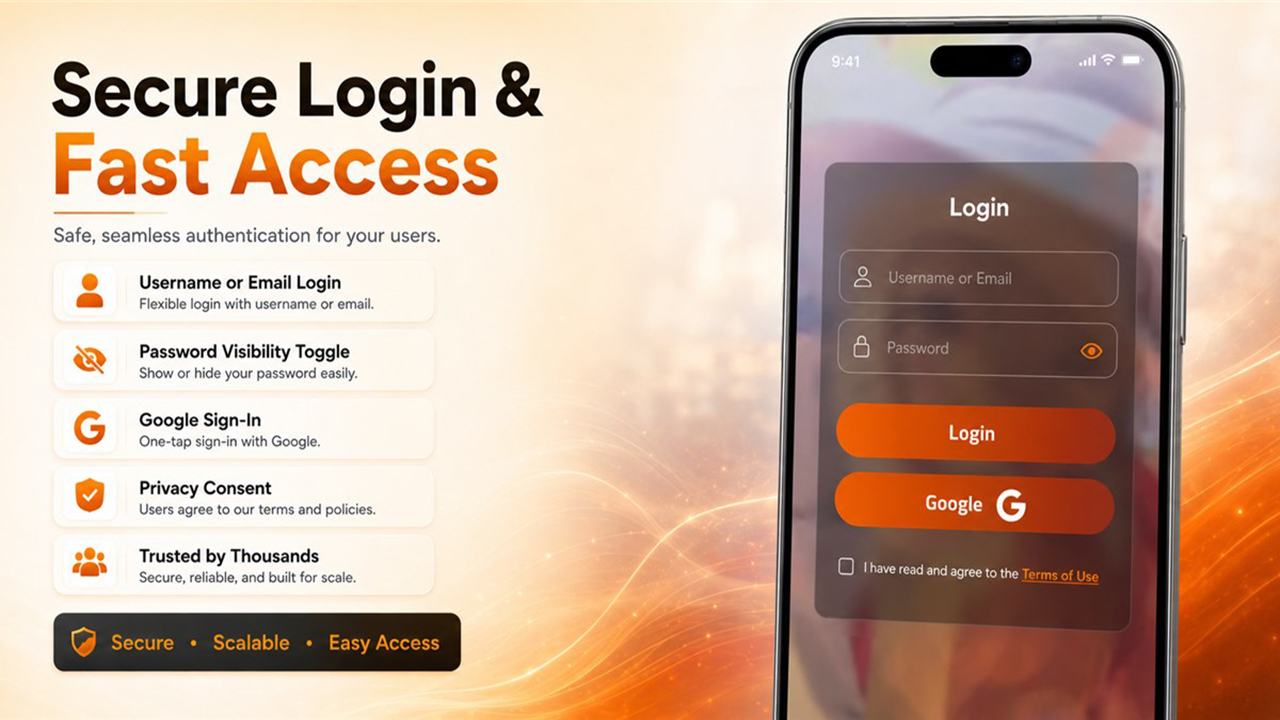
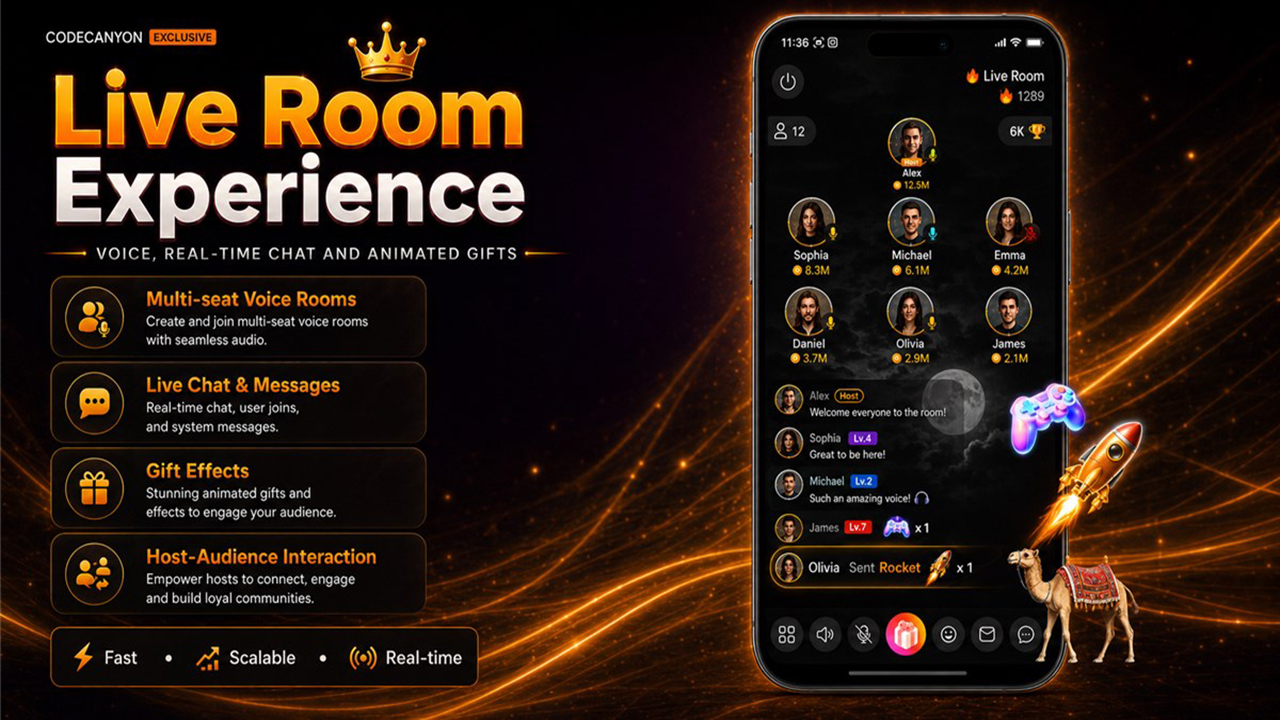
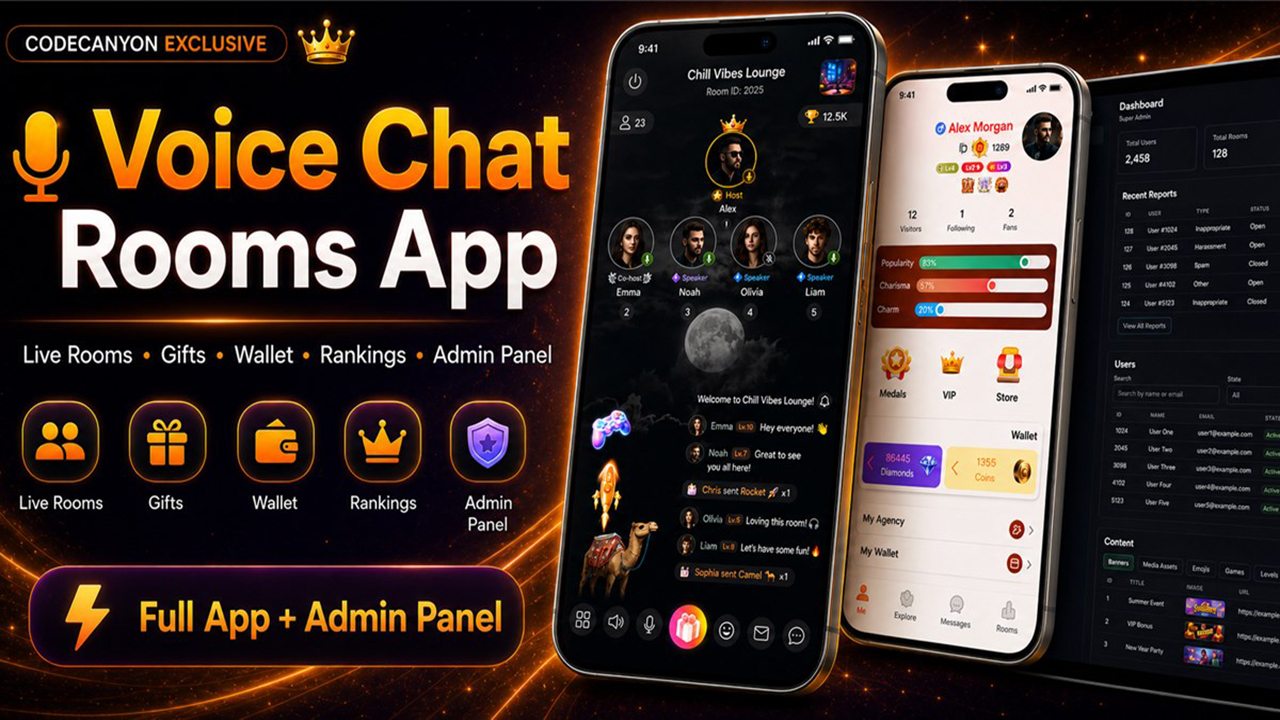
Open the operational walkthroughs and actual admin captures. The legacy mobile compositions below are promotional illustrations; they do not substitute for current device screenshots of completed purchase or gift flows.
These older promotional images provide a product overview. Use the operational guide above for actual admin captures and the current mobile capture checklist.
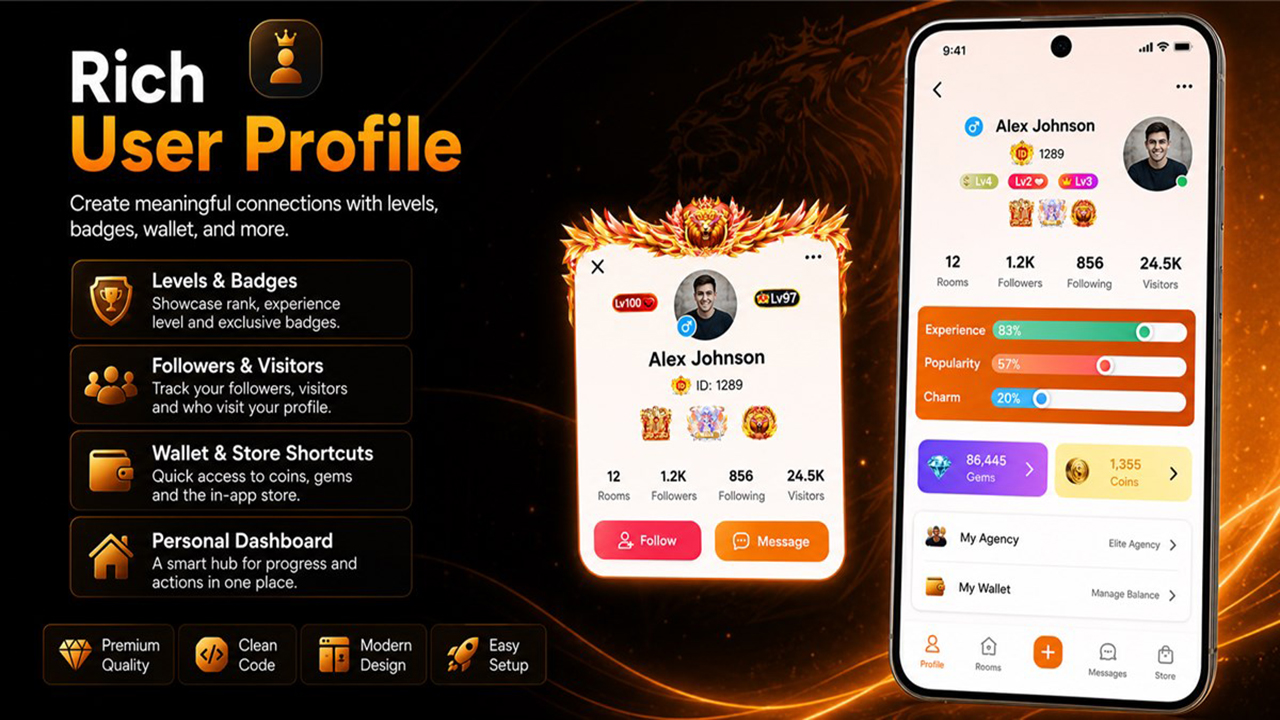
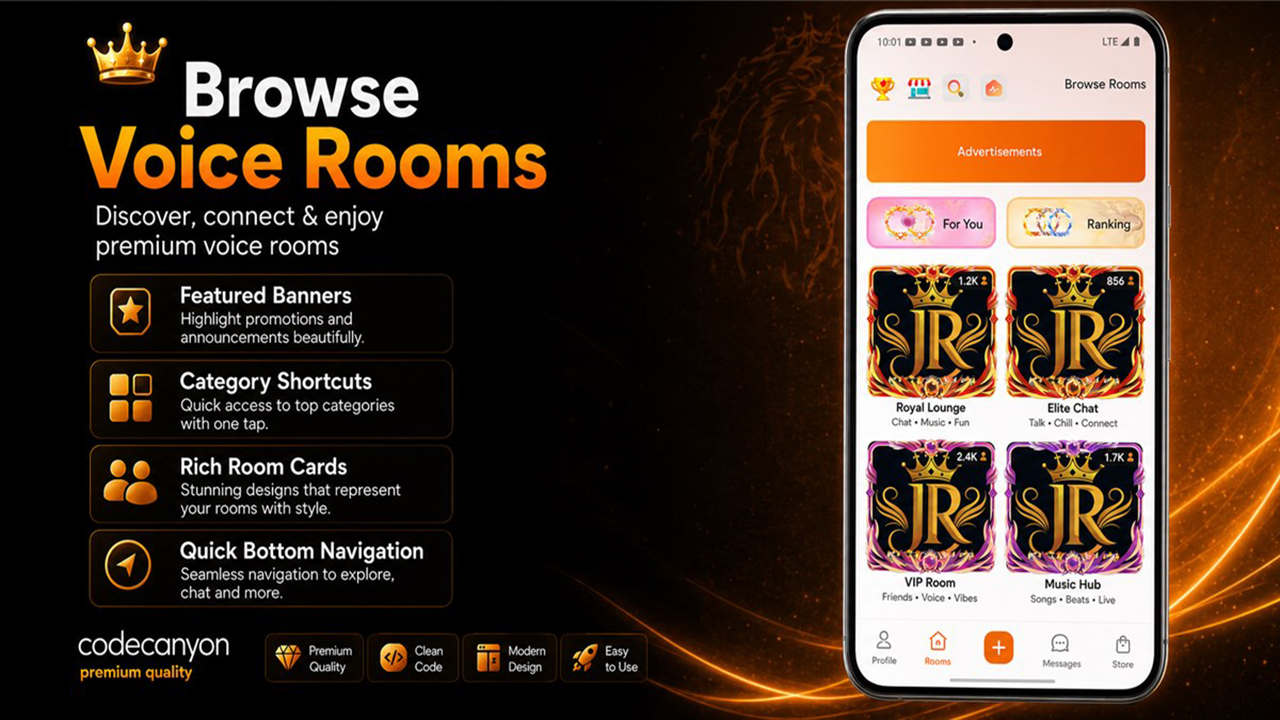
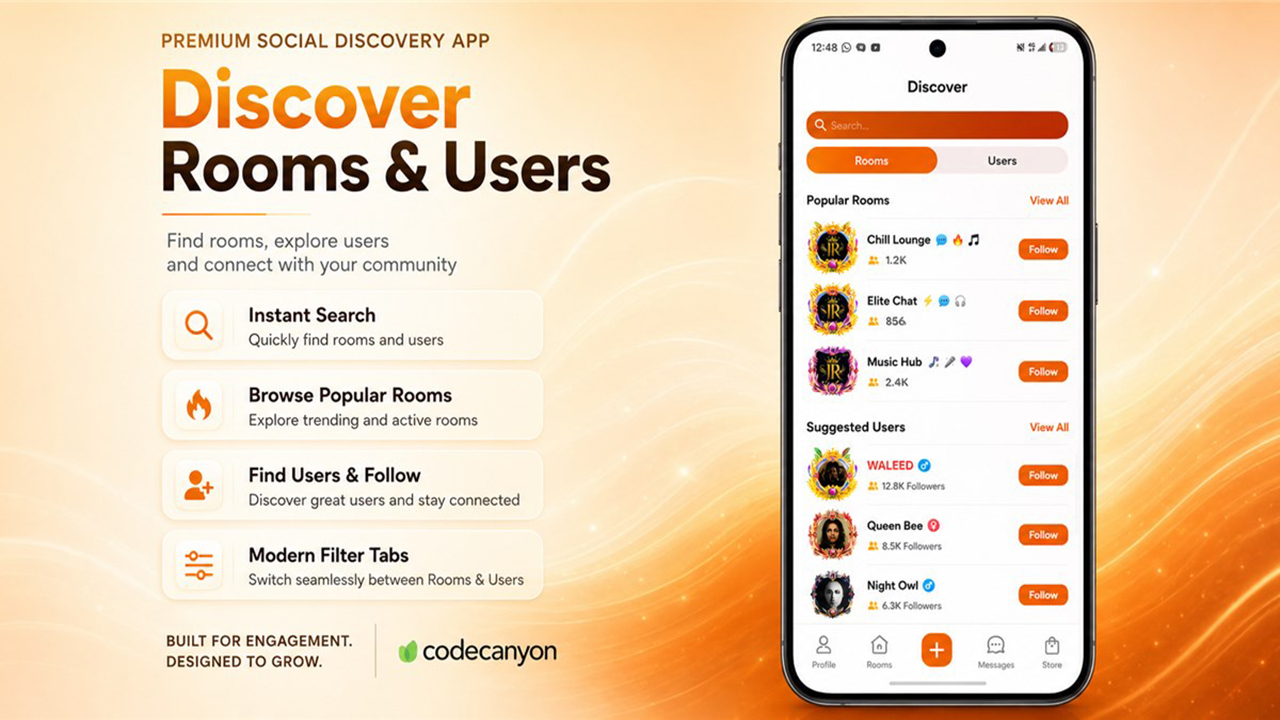
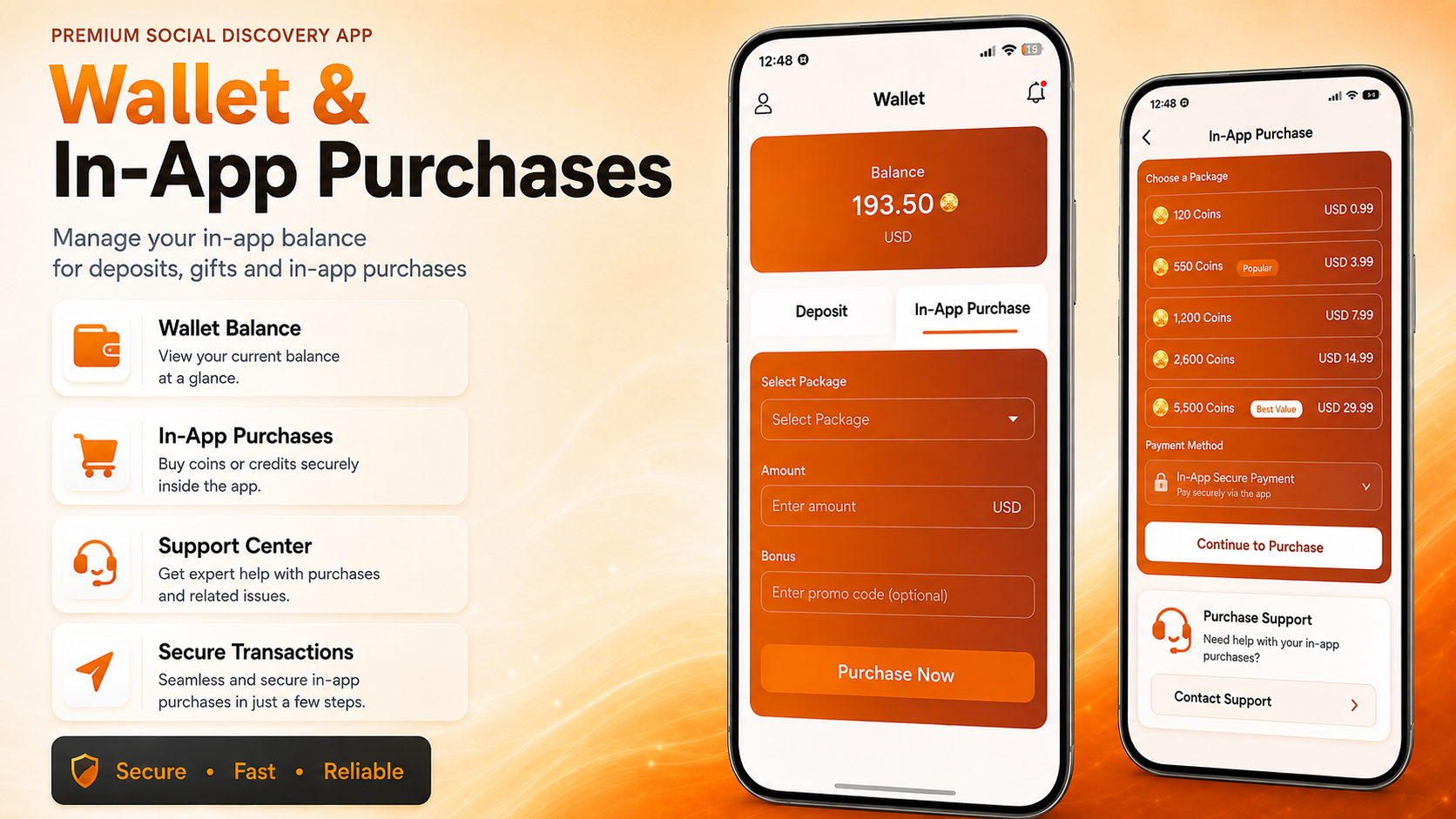
Admin Dashboard Walkthrough
Follow the Community Moderator example to create a role, select permissions, assign it and verify denied sections.
The admin dashboard is intended for daily content and operations management.
- Users: review user accounts, status, wallet-related fields, and profile information.
- Rooms: inspect and manage room records, categories, active content, and room reports where available.
- Reports: review user or content reports and update their status.
- Gifts and store items: manage gift records, frames, entry animations, and pricing/duration settings.
- VIP and levels: manage VIP packages, VIP privileges, user VIP records, normal levels, and Rocket levels.
- Agencies: review agencies and agency members where this workflow is enabled.
- Posts and comments: moderate social content if the app feature is enabled.
- Roles, permissions, and audit logs: manage admin access and review administrative activity.
App Customization
Follow the dedicated step-by-step customization guide:
Android Release Build
- Configure Firebase Android file and Google Sign-In fingerprints.
- Configure release keystore using
android/key.properties.exampleas a template. - Use your production API URL, API key, socket host, and socket port.
- Build the app bundle.
flutter clean
flutter pub get
flutter build appbundle --release --dart-define=APPCHAT_API_BASE_URL=https://your-domain.com/ --dart-define=APPCHAT_API_KEY=CHANGE_ME_APPCHAT_API_KEY
Testing Checklist
Complete the GamePix device checklist and production verification before distribution.
Before production, test Google Sign-In, registration, profile editing, rooms, microphones, Socket.IO, Redis, chat, gifts, wallet/recharge, intended legacy-route restrictions, emojis, store items, VIP expiration, Rocket levels, push delivery, platform purchase verification, uploads, reports, admin access denial and logout. Follow the separate iOS guide on a Mac and physical iPhone.
Security Checklist
- Set
APP_DEBUG=false. - Change the demo admin password.
- Use strong database, Redis, API, JWT/session, and admin passwords.
- Keep service account JSON files and keystores outside public web folders.
- Protect uploads from unsafe extensions and direct script execution.
- Use HTTPS/WSS only.
- Restrict admin dashboard access where possible.
- Review payment callback and Google Play purchase verification logs.
- Back up database and uploads before production changes.
Third-Party Services and Costs
Buyers are responsible for all costs incurred from their own use of third-party services, including Agora, Firebase and hosting. These costs are not included in the AppChat purchase price. See the account and cost guide.
| Service | Why Used | Required | Configured In |
|---|---|---|---|
| Agora | Live room audio and RTC token flow. | Required for voice. | PHP environment/settings. |
| Firebase | Google Sign-In, client config, push notifications. | Required for sign-in/push. | Flutter files and PHP environment. |
| Google Play | Android in-app products and purchase verification. | Required for IAP. | Flutter/backend product IDs and PHP environment. |
| GamePix | Online catalogue and hosted games. | Required for games. | Flutter publisher SID and PHP category/block configuration; setup. |
| Redis | Presence, cache, auth token lookup, room state, pub/sub. | Required. | PHP and Node environment. |
| Bunny.net or CDN | Optional media storage/CDN. | Optional. | PHP environment. |
| Hosting/domain/SSL | Production API, admin dashboard, and WSS. | Required. | Server DNS and web server. |
Buyer cost responsibility: Third-party services such as Agora, Firebase, GamePix (where applicable), Bunny.net, Google Play, Apple App Store, hosting, domains, SSL, Redis hosting, and any external payment/storage providers may have free tiers, paid plans, overage charges, review fees, or account fees. These costs are the buyer's responsibility and are not included in the CodeCanyon purchase.
No included payout service: AppChat does not include real-money cash-out, payout processing, stored-value redemption, or a money-transfer service in the marketplace build.
Troubleshooting
Open the troubleshooting guide. Each scenario includes an example error/log or symptom, ordered diagnosis and a concrete recovery check: API routing/tokens, database, Redis/WSS, room entry, Agora, purchases, uploads, permissions, stale state and iOS signing.
iOS Release Build
Read the full iOS build and App Store guide: Mac preparation, Runner target/bundle identifier, Firebase/privacy keys, certificates/provisioning, IPA, TestFlight and App Store Connect.
The shipped iOS configuration needs buyer-specific setup. This documentation update does not imply a tested iOS binary or App Store acceptance.
FAQ
Are migrations required? No. Import the single SQL file.
Are third-party credentials included? No. Buyers must provide their own Firebase, Agora, Google Play, hosting, domain, SSL, Redis, payment, and storage credentials.
Is an external payout service included? No. Legacy withdrawal/account handlers remain in the source and are documented in the API reference; their presence does not provide an external payout integration.
Can I add more digital assets? Yes. Add rows/assets through the admin workflow or database tables documented above, then test the app display.
Changelog and Support
Initial release notes are available at changelog. Support covers installation guidance and verified package issues. Custom deployment, third-party account setup, branding, extra asset packs, new features, and server administration may require paid customization.